StreamX: a premium media player for Android TV and Google TV
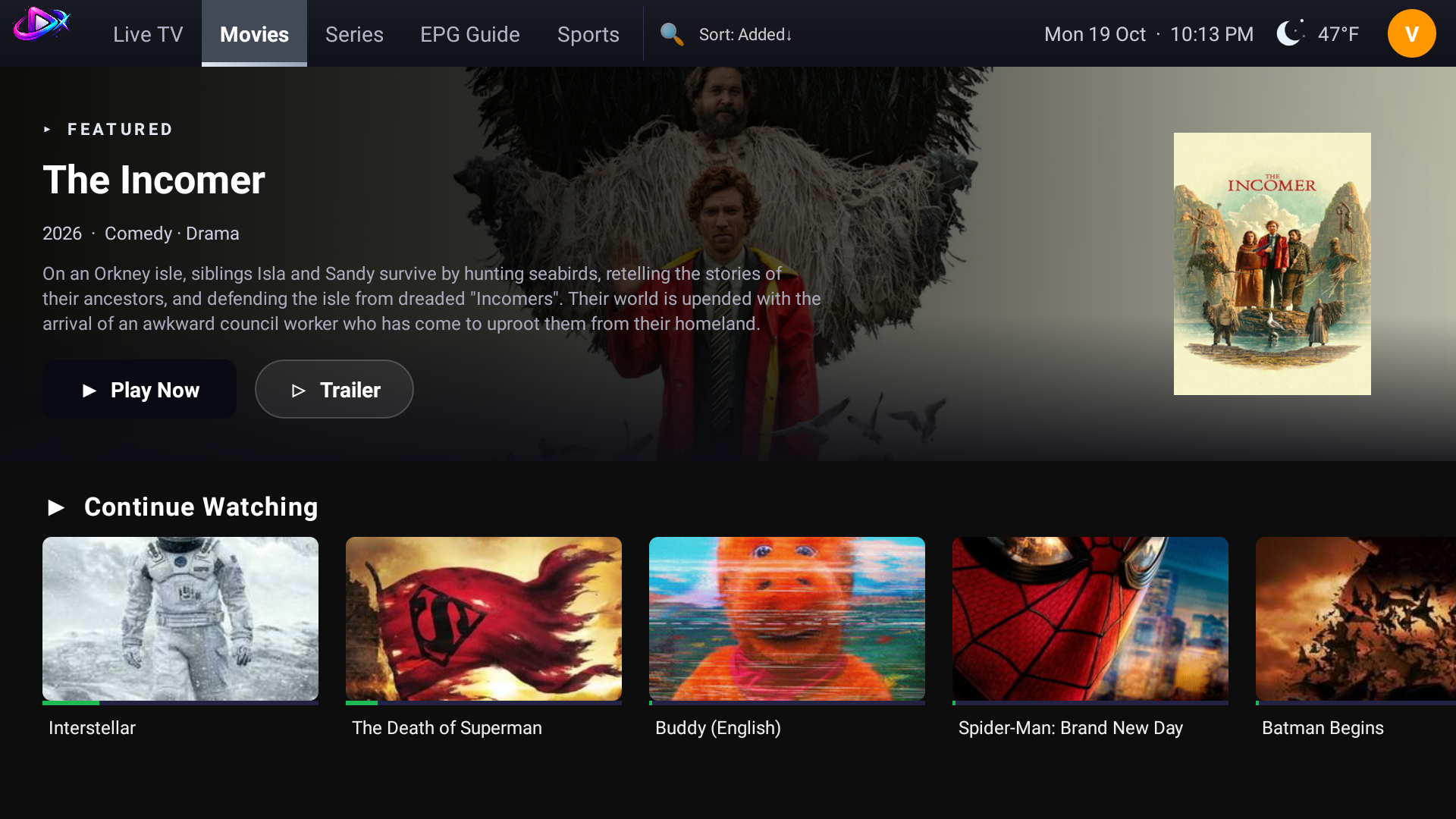
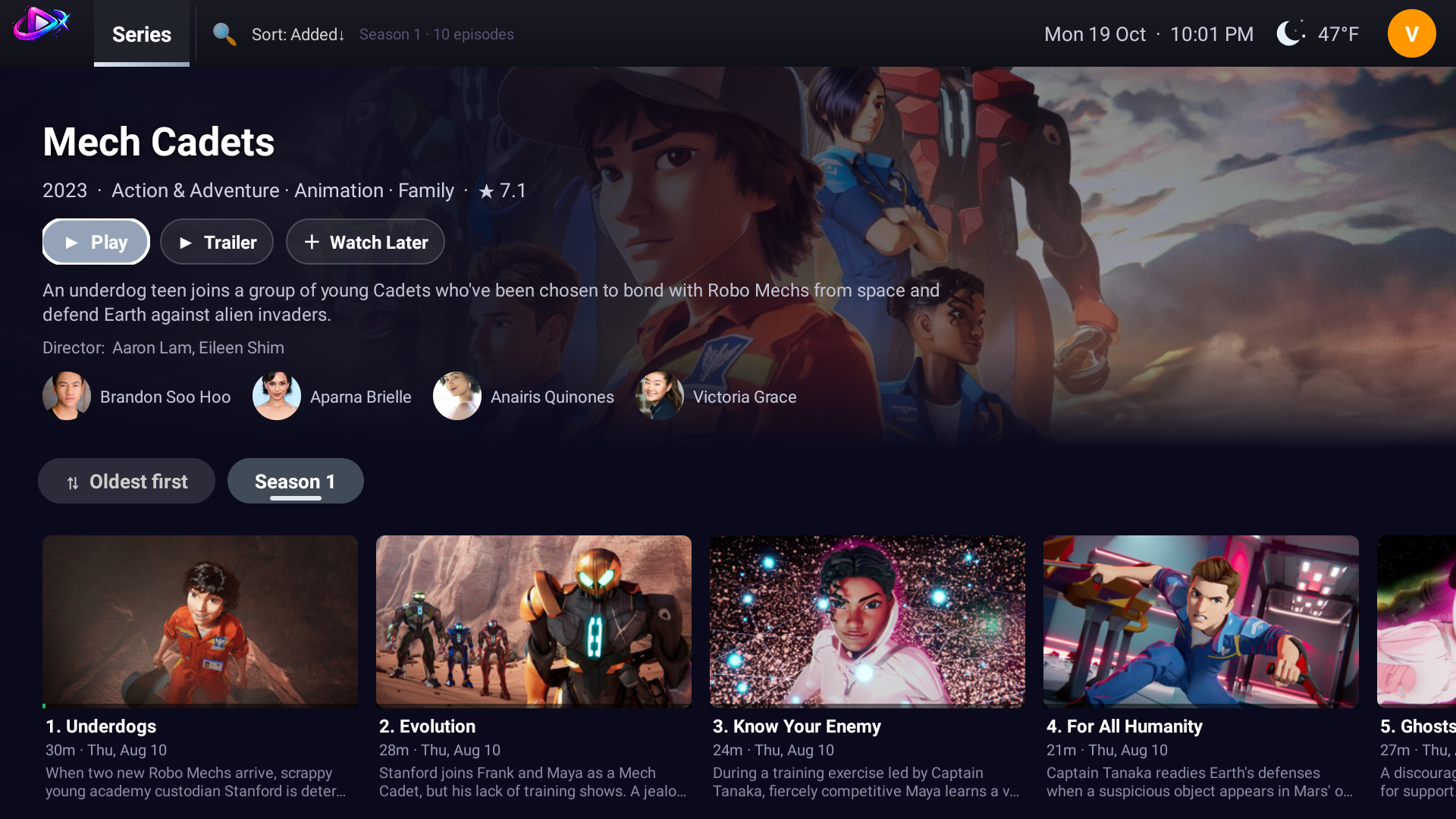
A fast, polished 10-foot media player for your own M3U / M3U8 playlists, Xtream Codes logins and Stalker / MAG portals. Add your source and StreamX turns it into a Netflix-style experience with artwork, trailers, cast, an EPG TV guide, trending lists and suggestions for every title.
A media player built for the TV remote
StreamX plays the playlists, portals and logins you already have. It is designed from the start for Android TV and Google TV: large artwork, D-pad navigation, instant search, favourites, several viewing profiles and a clean live TV guide. It works with the three most common source types and can combine several sources in one place.
M3U / M3U8 playlists Xtream Codes Stalker / MAG portal XMLTV EPG Android TV and Google TV Live TV, movies, series, sports
What StreamX offers
Playlists and streams
- M3U / M3U8 playlists with extended tags, logos, groups and catch-up
- Xtream login for live, movies and series with full metadata
- Stalker / MAG portals with automatic session handling and quality selection
- Jellyfin servers (beta)
- Several sources side by side, with an option to combine them
Watching
- Media3 / ExoPlayer engine: HLS, DASH and progressive, subtitle and audio-track selection, DRM-protected streams (Widevine and ClearKey)
- Continue Watching with per-movie and per-episode resume, progress bars and watched ticks
- EPG with XMLTV now/next and a live mini-player
- Live pause and rewind (beta, off by default)
- Subtitles from your own OpenSubtitles account (your own account and key; nothing is shared)
- Optional watch-history trackers: link your own Trakt, Simkl or AniList account. Off until you link one, and you can pause it any time
- Instant search across live channels and the library
Discover
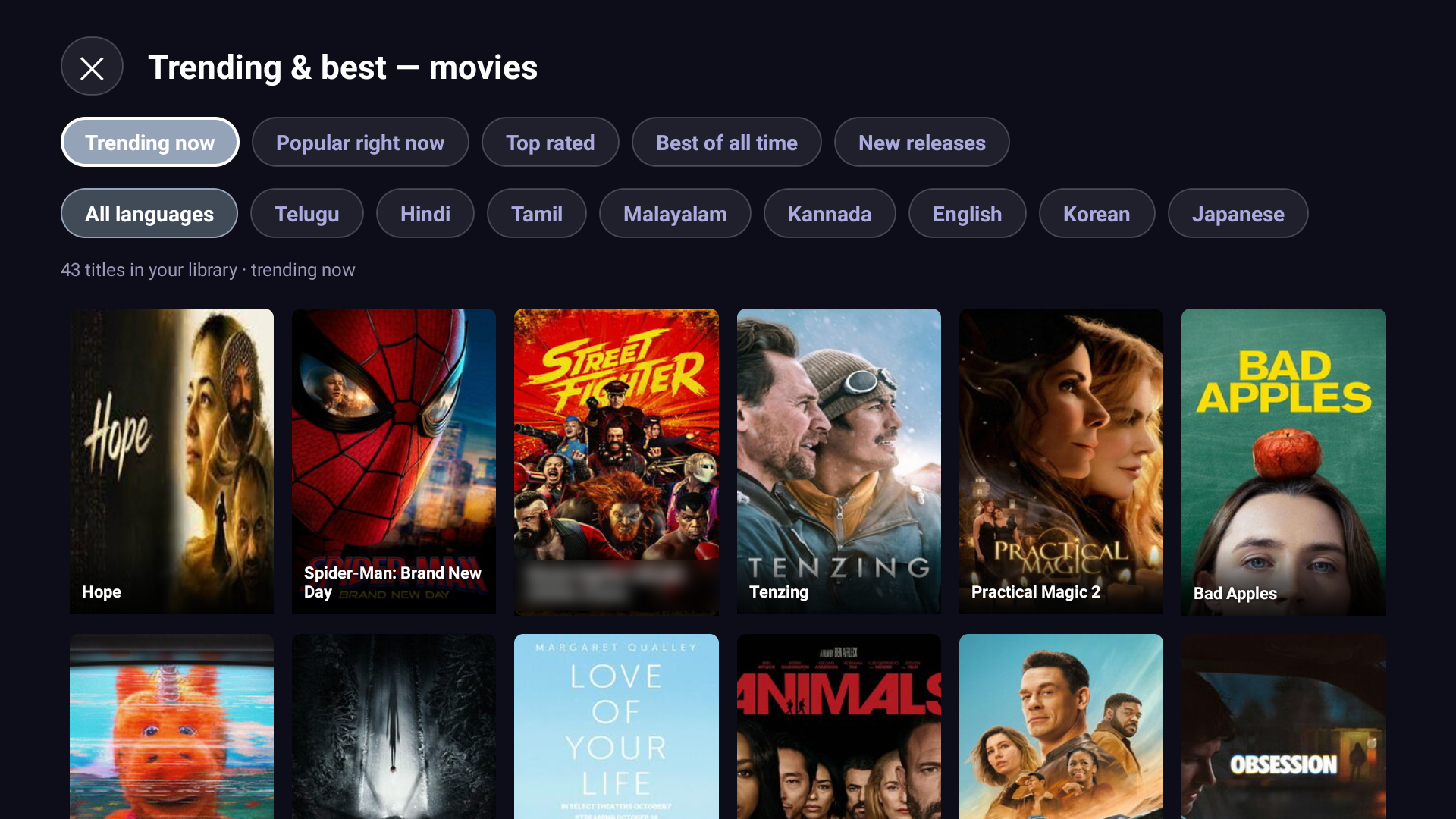
- Trending now, Best of all time, Popular, Top rated and New, by language, matched to what is in your library
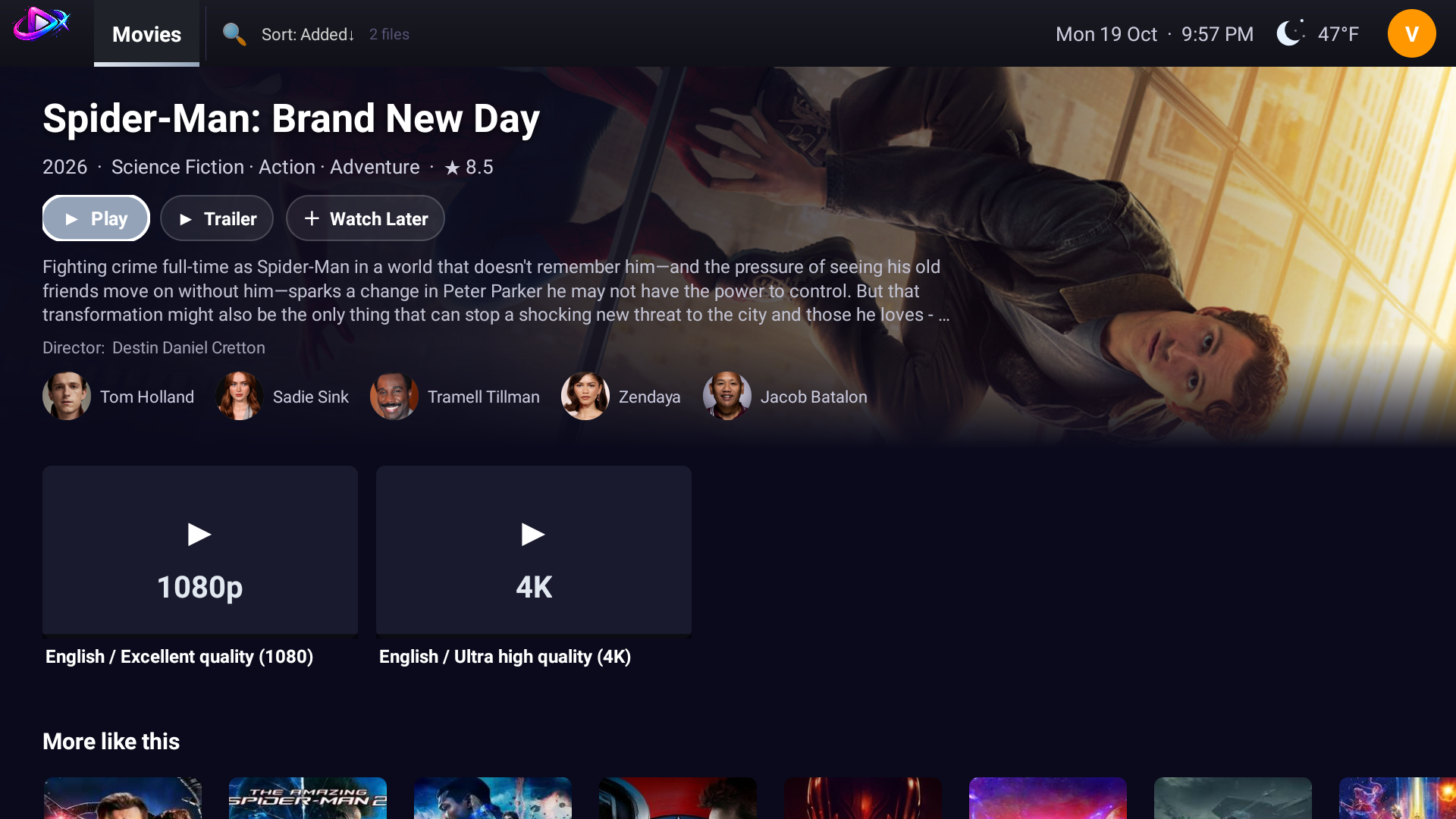
- Cast with photos, trailers, ratings and plot for every title, from TMDB. Bring your own TMDB key if you prefer
- More like this that follows the film's own language, so a Telugu film suggests Telugu films
- Sports tab with live scores and fixtures
Experience
- Full-width rotating featured banner, configurable rows and poster grids that adapt to 720p / 1080p / 4K
- D-pad-first navigation designed for the TV remote, with customisable remote buttons
- Separate viewing profiles with their own favourites and Watch Later, plus a parental-controls PIN
- Accent colour presets
- Instant startup; content refreshes silently in the background
- Optional encrypted cloud sync: your sources, watch history and settings follow your account. The app is fully usable without an account
Privacy and control
- Fully usable without an account; everything stays on your device
- Cloud sync is optional and encrypted before it leaves your TV
- Delete your account and data from inside the app (Profile menu → Delete Account) or by email
- Bring-your-own keys for TMDB and OpenSubtitles, so requests count against your accounts only
Requirements
- Android TV, Google TV or Fire TV
- Android 6.0 (API 23) or newer
- Designed for the 10-foot / D-pad experience
- The Play Store build and the sideload APK are signed with different keys, so pick one and stick with it
Guides
Frequently asked questions
What is StreamX?
StreamX is a premium media player for Android TV and Google TV. You add your own M3U or M3U8 playlist, Xtream Codes login or Stalker/MAG portal, and StreamX shows it as a fast, Netflix-style app with artwork, cast, trailers, an EPG guide and Continue Watching.
Does StreamX include channels or content?
No. StreamX is a media player only. It does not provide, host, index, bundle or resell any channels, movies, series or streams. You add a playlist or login that you already have the right to use.
Which playlist types does StreamX support?
M3U and M3U8 playlists, Xtream Codes logins, Stalker and MAG portals (portal URL and MAC address), and Jellyfin servers (beta). An optional XMLTV link adds the TV guide.
Which devices does StreamX run on?
Android TV and Google TV devices running Android 6.0 (API 23) or newer, including Fire TV. The interface is designed for a TV remote.
Do I need an account to use StreamX?
No. StreamX works fully without an account and keeps your sources and history on your own device. Signing in is optional and only adds encrypted sync between your devices.
How do I install StreamX?
Download the latest APK from the Releases page on GitHub and install it on your Android TV. A Google Play listing is coming soon.
Does StreamX show a TV guide (EPG)?
Yes. Add an XMLTV link to your M3U or MAG source, or use the automatic guide that Xtream Codes providers supply, and StreamX shows now and next with a live mini player. The guide appears only if your source provides one.
Does StreamX work on Fire TV, Chromecast and Nvidia Shield?
StreamX runs on Android TV and Google TV devices, including Chromecast with Google TV and Nvidia Shield, and on Fire TV, as long as the device runs Android 6.0 or newer. Install the APK from the Releases page.
Is my data private?
Yes. Without an account everything stays on your device. With an account, your sources and settings are encrypted before they leave your TV. You can delete your account and data from the app or by email.
Download
Google Play: coming soon.
Sideload (APK): grab the latest .apk from the Releases page and install it on your Android TV device.
Join the community
Updates, release notes and discussion live on Telegram. Join the channel for news, and use the linked group to ask questions, report problems and share ideas.